
WaterCress or WaterCress-e Model
WaterCress-e is the 2024 upgrade of the original WaterCress model. WaterCress-e does everything that the original watercress model can do plus it now models electricity generation and supply and examines the benefit:cost ratio of both power and water suppliers. WaterCress_e is free to download.
This update has been a significant re-write of the program and as such layouts of the original WaterCress model are NOT compatable with WaterCress-e. At this stage the release of WaterCress-e is a Beta version and a conversion program to update earlier watercress layouts will be available soon.
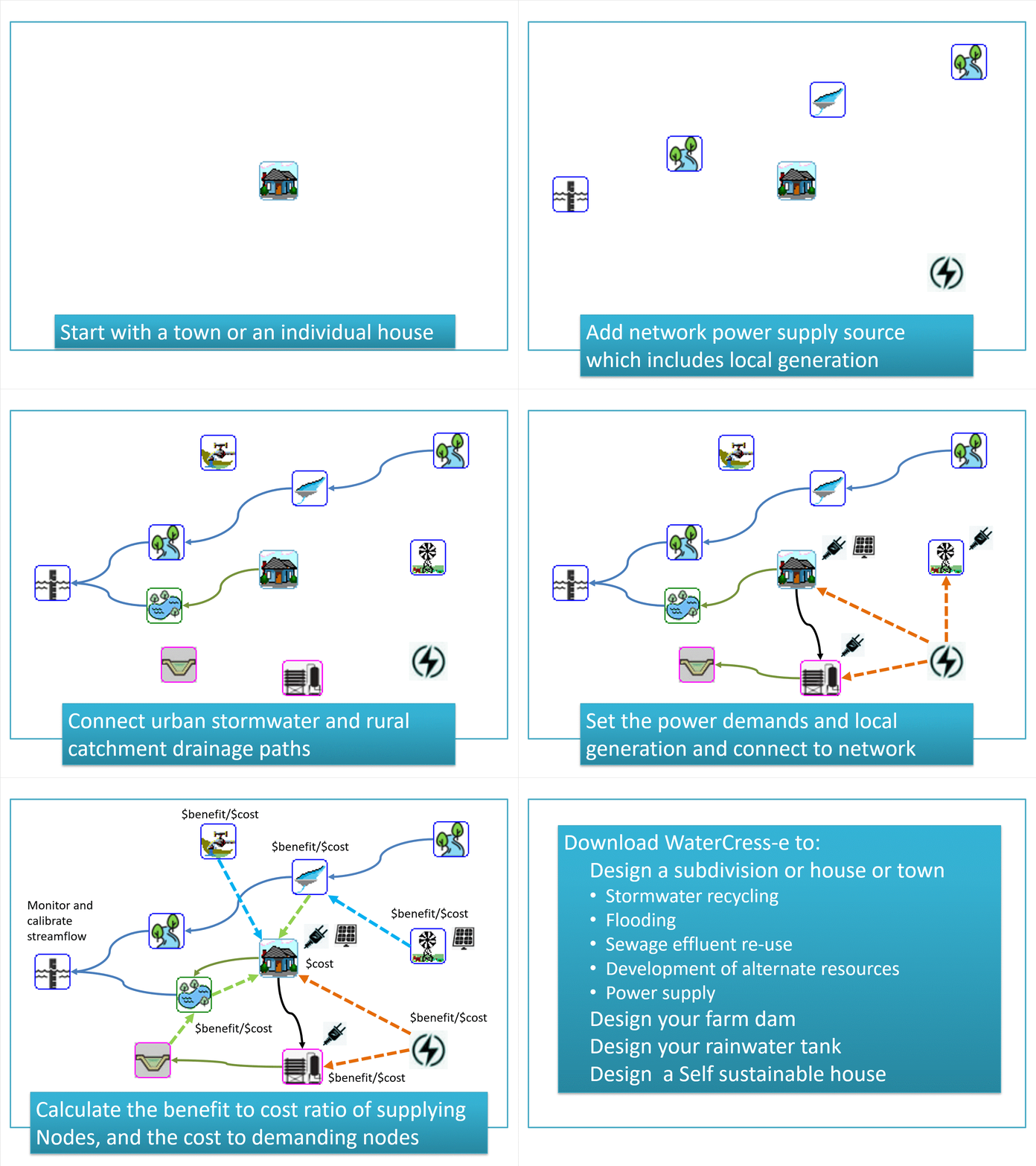
WaterCress requires you input basic timeseries information such as rainfall, evaporation, cloud cover and wind run, and the program converts these to stream flow and power generation. The program then loops through the time step provided and assesses the effectiveness of a design layout based on the ability to meet the demands requested
How these assets are used, stored, and demanded depends on the layout you create as shown here Supply nodes create the resource, treatment nodes convert the water to the required standard, storage nodes retain and make the resource available, and demand nodes define the wattage, volumetric and quality need of the resouces
Running this program layout over a long period of time then enables you to assess the risk of failure.
How to set up WaterCress
This article takes you through the basics of setting up and running WaterCress
Using WaterCress-e to determine your cheapest Electrical Provider
When you use your electricity, how much you use and whether you have solar panels all determine which is the best provider tarrif for you.
Is it worth getting solar? Is it worth getting a battery? What size battery? All these questions can be answered by running WaterCress simulations
on your particular house situation and needs.
Designing a Self Sustainable house using WaterCress-e
How do I use WaterCress-e to design an efficient and reliable water and power supply infrastructure to your house.
This text takes you through the process of setting up and running a WaterCress program.
Time Series data files accessing Bureau of Meteorology Data
Watercress runs by stepping through time increments input by time-series files which contain sequential data typically daily in nature.
Historically, the primary data needed to run watercress was rainfall and evaporation which is converted to volumetric outflows through a series
of algorithms detailed by the user. The inclusion of energy into watercress-e now requires additional inputs of cloud cover and wind run to enable
modelling of potential power generation. This article details how to put together a time series file, and particularly how you access the
Australian Bureau of Meteorology data sets